

Mp3 files cannot be played

Dear Liveworksheets Team and Community... can anyone tell me how to upload an mp3 file to be listened properly inside a worksheet? I have tried several times as it is explained in the tutorial, but nothing works smoothly. I do appreciate any help to fix this issue/bug.
Image


Hello Andreas, you're correct, unfortunately, mp3 files don't work properly after adding to a worksheet. This issue has already been reported and waiting for the solution. I hope the problem gets solved soon.
In reply to Hello Andreas, you're… by kohai
@Ruta, please see below for the resolution
We are aware of the issue and working to resolve it soon. We should have an update here as early as tomorrow. Apologies for any inconvenience.
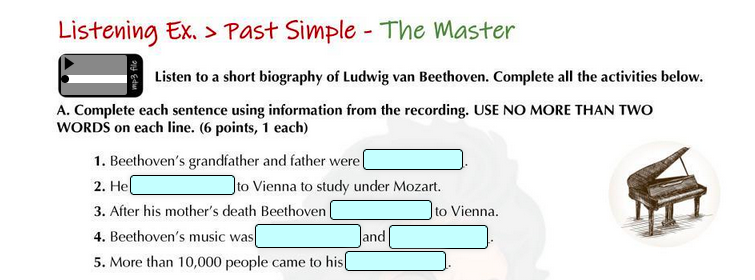
I am happy to report there have been some progress in resolving the issue with MP3s. A fix was put in place that should resolve most issues. Teachers who have this problem that the mp3 player still doesn’t work and looks like the arrow and the bar are stacked on top of each other on two separate lines must upload the mp3 file again because there was an error in the "Save and view" button and it didn’t save the mp3 files. We fixed this issue.
In reply to I am happy to report there… by Jason Robert
Jason, I followed your instructions – uploaded the mp3 file again, actually, I experimented with different ones, but wasn't lucky enough to make any of them do the job. They are saved, I can listen to them from the “Edit elements” page but after “Save and View” they are stuck. I even made a new WS and tried again in vain. Well, I’m not desperate about that, just trying to understand how everything works on this site.
Jason, thank you so much for yesterday's messages I received in Notifications! I find them very helpful and motivating. And I love (!) that new little pop-up button for copying elements! It was sth we needed desperately. :)
@Ruta, I'm sorry to hear this... I have reported this back to our team to investigate the issue again. Perhaps you can provide us with the worksheet you have been working on and aren't able to get mp3s working for?
In reply to @Ruta, I'm sorry to hear… by Jason Robert
Jason, thank you for taking the time to look at my problem. Here is the link to the Listening Task I cannot figure out what I'm doing incorrectly: https://www.liveworksheets.com/w/en/none/7120921 The full test (original test page) with the same Listening (Ex.7) is here: https://www.liveworksheets.com/w/lv/english-second-language-esl/7110295
In reply to Jason, thank you for taking… by kohai
Also, I can't understand how to delete the uploaded mp3 files which I don't need (from the MP3 element). Even if I delete the MP3 element (all of them from a particular worksheet), Save the worksheet and then log out of my account, the next time I come to Edit Elements and try to add the very first NEW mp3 element it appears with all previously uploaded files.
Edited on the 10th of August: The issue has been fixed and mp3 files work fine now.
In reply to @Ruta, I'm sorry to hear… by Jason Robert
I just found out that someone:) has taken a look at my worksheets and made one of my audio files work. I appreciate it – now I know how simple it is to make “old” mp3 files playable. On the worksheets I linked in the previous post, the mp3 files are uploaded recently - on the New site, and I still have no clue how to play them.
Hi @Ruta, it's very possible that one of our devs reviewed your worksheet and attempted to resolve the issue. Your comments are definitely being looked at :)
I'm having the same problem with my song activity. The MP3 doesn't play and the arrow and line are stacked.
https://www.liveworksheets.com/w/en/english-second-language-esl/7122891
In reply to I'm having the same problem… by estherlee76
Hi Esther, it has been fixed and works fine now.
Hello, I am afraid I have the same problem - the mp3 files I inserted could be played when I was editing the worksheet but then as I saved it they wouldn't...
ohboybiuro
Same problem here...after saving my worksheets the mp3s aren't even there...
In reply to Same problem here...after… by ohboybiuro
Hi Ohboybiuro, Can you please provide a link to the worksheet that you are having trouble with and we will take a look at it? Thank you.
opKristel
Hello!
I have got the same problem- MP3 files are inserted, they could be played when I was editing but on the saved worksheet they don't work. I tried to delete MP3 files to upload them again but I couldn't, maybe I don't know the correct way.
I can't provide the link in here, if I try to add it the page tells me it contains spam content.