Switching students without exiting workbooks

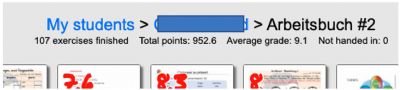
When I correct assignments in workbooks, I think I used to be able to easily switch from student to student. Where it says "Arbeitsbuch #2" in the image below, it used to have the next student's name. I could click on it and it took me to the same exercise in the next student's workbook. This saved me a lot of time. As I am doing it now, I have to correct a student's work, exit that student's workbook, go to the next student's workbook, "open" the workbook, and swipe to the page I want to correct. Since I have 137 students, that gets tedious and time consuming. If it is possible to go to the same assignment from student to student, how do you do it? I would greatly appreciate the help!
Image