


If you have been using the interactive activities on LiveWorksheets, you already know how beneficial they are for assignments and grading. But you’ve probably also felt the gap between practice and feedback.
Not every worksheet needs to feel like a test.
In real classrooms, a lot of learning happens in the middle. Students try a problem. They get something wrong. They rethink it. They try again. Some of the most important learning moments happen while students are still figuring things out. That space between “I don’t get it” and “Oh, I see” is where growth actually happens.
Practice mode was built for that space in the middle.
It can turn any of your existing (or new) assignments into real time learning with immediate feedback while the topic is still fresh on their minds.
Correct responses light up, incorrect ones turn red, and students can adjust right away. There is no final score and no submission to the teacher. Students can adjust immediately and try again.
How Practice Mode Works
Timely feedback plays a critical role in learning. When students receive immediate responses to their work and have the opportunity to fix mistakes in real time, they are better able to learn a topic while the material is still fresh in their minds.
With delayed feedback, students often disconnect their errors from the original task. By the time graded papers are returned, many have already moved on to new topics. Practice Mode eliminates this gap by turning every question into an immediate learning opportunity.
How to Use Practice Mode: Step-by-Step Guide
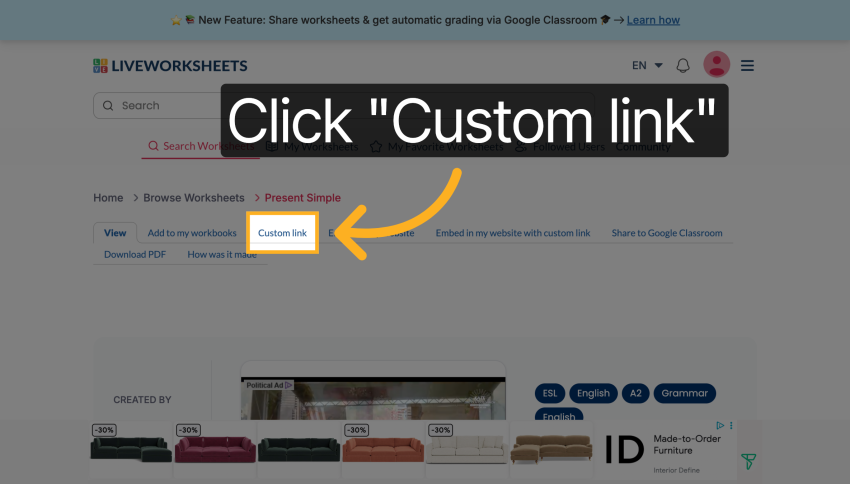
- Browse the worksheet database or use one you have created
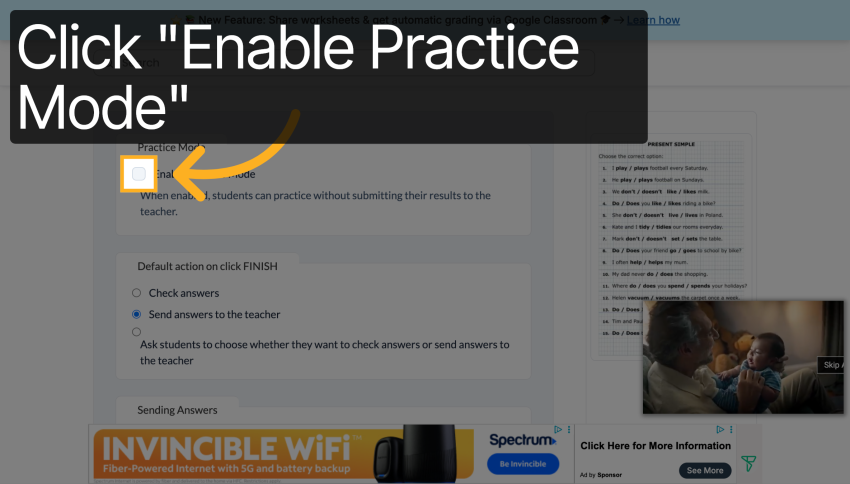
- Select “Custom Link” and check the box “Enable Practice Mode”. This will generate a custom url students can use.
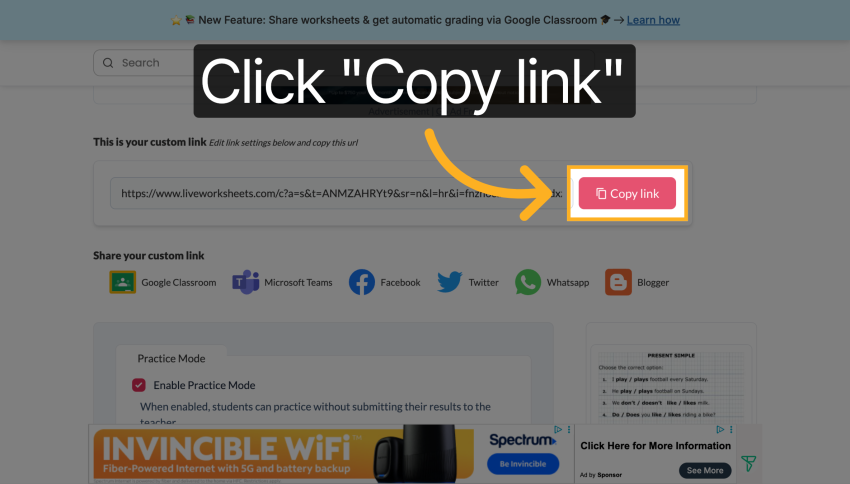
- Copy that url and share with students. That link will take them directly to Practice Mode.
When students open that link, they will see the worksheet in Practice Mode. Each response they enter gets immediate visual feedback. Correct answers highlight, incorrect ones turn red, and students can revise their responses instantly.
Because Practice Mode does not collect submissions or generate a final score, it works well for learning situations where the goal is understanding rather than evaluation.
Why Immediate Feedback Matters
Timely feedback plays an important role in how students learn. When learners receive a response to their answer right away, they can connect mistakes to the reasoning that produced them. They still remember what they were thinking when they attempted the question.
When feedback arrives hours or days later, that connection gets weaker. By the time graded work returns, many students have already moved on to a new lesson. The original problem becomes harder to revisit in a meaningful way.
Practice Mode addresses this gap by turning every question into a real-time learning opportunity. Students see whether their response is correct immediately and can adjust their thinking before moving on. This creates a more active learning experience and encourages students to keep working until they understand the concept.
Why Teachers Like Practice Mode
Teachers can use Practice Mode in situations where immediate feedback helps reinforce new material.
During class instruction, a teacher might share the link with students so the entire class can work through a worksheet together. Students can test their understanding as the lesson progresses without worrying about grades.
Practice Mode also works well for independent review. Students can complete a worksheet at home or during study time and receive feedback instantly, which allows them to correct mistakes before they become habits.
Some educators also use it as a warm-up or reinforcement activity. A short worksheet in Practice Mode can help students revisit key concepts at the beginning of class and quickly identify areas that need clarification.
Try Interactive Learning in Your Classroom
Practice Mode adds another option for teachers who want to create interactive learning experiences without turning every activity into a graded task.
You can try Practice Mode today by logging into your LiveWorksheets account, selecting a worksheet, and generating a custom Practice Mode link for your students.