When kittens are ready to leave their mother

pet

When it comes to kittens, the bond with their mother is crucial for their development and well-being. Understanding when kittens can safely leave their mom is essential for ensuring their health and socialization. Here's a comprehensive guide on when can kittens leave their mom and how to prepare them for their transition to a new home.

Age Matters

Kittens should ideally stay with their mother and littermates for at least 8 to 10 weeks. During this time, they learn important social and behavioral skills from their mother and siblings. These skills include proper grooming techniques, litter box usage, and how to interact with other cats.

Weaning Process

Around 4 weeks of age, kittens begin the weaning process, where they start to transition from nursing to eating solid food. This process usually continues until they are 8 weeks old, at which point they should be fully weaned and eating solid kitten food.

Socialization Period

Between 2 to 7 weeks of age, kittens go through a critical socialization period where they learn how to interact with other cats and humans. During this time, they develop important social skills and behaviors that will shape their personalities as adult cats.

Physical Development

Kittens need time to develop physically before they can be separated from their mother. At around 8 weeks of age, kittens are typically fully weaned, have developed their coordination and strength, and are ready to explore their environment more independently.

Health Considerations

Before separating kittens from their mother, it's essential to ensure they are in good health. They should have received their initial vaccinations and deworming treatments from their mother or a veterinarian. Additionally, they should be free from any signs of illness or congenital defects.

Transitioning to a New Home

When kittens are ready to leave their mother, it's crucial to make the transition as smooth as possible. This includes preparing a safe and comfortable environment for them in their new home, complete with a cozy bed, litter box, food, and water. Providing toys and scratching posts will also help keep them mentally and physically stimulated.

Gradual Separation

If possible, consider a gradual separation process where kittens spend short periods of time away from their mother before the final separation. This helps them adjust to their new surroundings and reduces the stress of the transition.

Adoption Age

Many reputable breeders and rescue organizations adhere to a minimum adoption age of 8 weeks for kittens. This ensures that kittens have had adequate time with their mother and littermates and are developmentally ready to transition to their new homes.

Conclusion

Knowing when kittens can safely leave their mother is essential for their health and well-being. By allowing kittens to stay with their mother for at least 8 to 10 weeks, ensuring they are in good health, and providing a smooth transition to their new home, you can help set them up for a happy and healthy life. Remember to consult with a veterinarian or animal welfare expert for personalized advice on caring for kittens during this critical stage of their development.

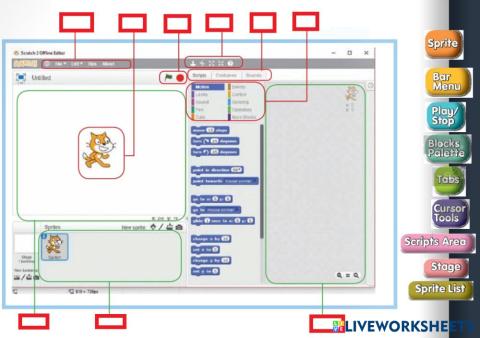
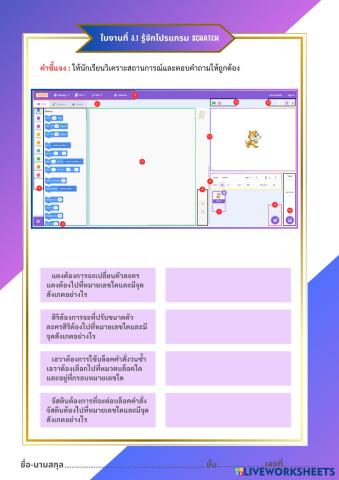
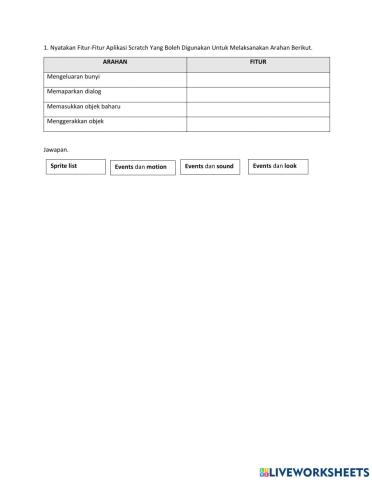
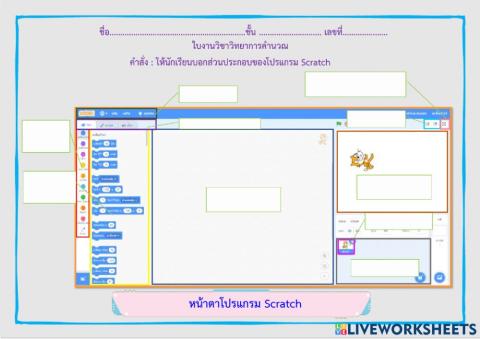
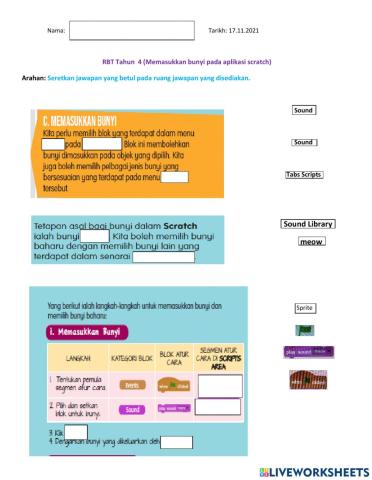
LKPD Eksplorasi Scratch (Fungsi Dasar Backdrop dan Fungsi Event)

Space Science - Science

Lembar Kerja Peserta Didik

Eksplorasi Scratch (Fungsi Dasar Backdrop dan Fungsi Event)


Nama Kelompok         :
Nama Anggota            :
Kelas                           :
Tanggal                       :

Petunjuk Kerja

  1. Bentuk kelompok berisi 2–3 orang.
  2. Ikuti instruksi pada buku (Aktivitas Siswa 1.6 dan 1.7).

Bagian I: Eksplorasi Fungsi Dasar Backdrop

A. Langkah Kerja

  1. Bukalah Scratch buat file baru!
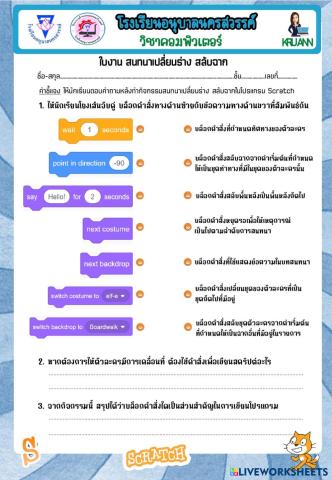
  2. Tambahkan beberapa tiga backdrop baru, seperti Jurrasic, Farm, dan Forest secara berurutan!
  3. Aturlah posisi kucing dengan x = -200 dan y = -100!
  4. Jadikan salah satu backdrop sebagai backdrop awal! Caranya dengan mengeklik tombol Stage.


Sumber: Tangkapan Layar/Scratch/TSPM/2025

  1. Pada bagian samping tab Code akan muncul tab Backdrop. Kliklah tab Backdrop!


Sumber: Tangkapan Layar/Scratch/TSPM/2025

  1. Kliklah salah satu backdrop yang akan dijadikan default! Pada contoh ini adalah backdrop Jurassic.
  2. Selanjutnya, buatlah kode berikut!


Sumber: Tangkapan Layar/Scratch/TSPM/2025

  1. Jalankan dengan memencet tombol bendera, kemudian lihatlah apa yang terjadi!
  2. Silahkan disimpan dengan format nomor absen dan kelas, lalu klik file, lalu klik save to your computer


Sumber: Tangkapan Layar/Scratch/TSPM/2025


B. Pertanyaan Analisis

Selanjutnya, jawablah pertanyaan-pertanyaan berikut dan diskusikan dengan teman kalian!

    1. Apa fungsi blok "forever"?

Jawab:……………………………………………………………………………………………………………………………………………………………………………………..


    1. Apa fungsi blok "go to x = -200 y = -100”?

Jawab:………………………………………………………………………………………………………………………………………………………………………………………


    1. Apa fungsi blok "next backdrop"?

Jawab:……………………………………………………………………………………………………………………………………………………………………………………..


Bagian II: Eksplorasi Fungsi Event

A. Langkah Kerja

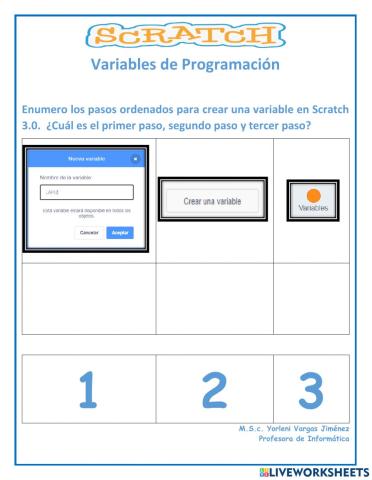
    1. Buatlah proyek baru di Scratch, pilihlah satu sprite (misalnya: kucing)!
    2. Tambahkan backdrops!
    3. Tambahkan blok Event!


Sumber: Tangkapan Layar/Scratch/TSPM/2025

    1. Jalankan, kemudian kliklah sprite kucing! Apa yang terjadi? Ya, sprite kucing akan menampilkan pesan dan bersuara saat diklik!
    2. Tambahkan reaksi dari keyboard! Untuk kode berikut, terpisah dari kode sebelumnya.


Sumber: Tangkapan Layar/Scratch/TSPM/2025

    1. Jalankan, kemudian tekan tombol spasi! Apa yang terjadi? Sprite akan "melompat" saat tombol spasi ditekan. Lompatan tersebut dilakukan dengan cara mengubah (menambah) posisi y sebanyak 50 satuan. Setelah 0.3 detik, posisi y dikurangi lagi 50 satuan.
    2. Tambahkan blok Control untuk pengulangan!
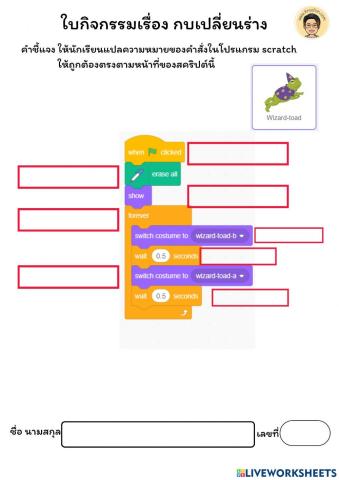
    3. Jalankan, dengan menekan tombol bendera hijau! Apa yang terjadi? Sprite akan berjalan di tempat saat program dimulai. Fungsi next costume adalah menampilkan ekspresi sprite berikutnya secara berulang.


Sumber: Tangkapan Layar/Scratch/TSPM/2025


B. Pertanyaan Analisis

Selanjutnya, jawablah pertanyaan-pertanyaan berikut dan diskusikan dengan teman kalian!

  1. Jalankan ketiga kode tersebut. Coba Anda klik sprite dan tekan spasi saat bendera hijau sudah diklik. Apa yang terjadi?

Jawab:…………………………………………………………………………………………………………………………………………………………………………………


  1. Mengapa ketiga perintah tersebut bisa berjalan secara bersamaan pada satu sprite yang sama?.

Jawab:…………………………………………………………………………………………………………………………………………………………………………………


  1. Dalam kode lompatan (Reaksi 2), mengapa harus ada blok wait [0.3] seconds di antara blok change y by [50] dan change y by [-50]?

Jawab:…………………………………………………………………………………………………………………………………………………………………………………

Create and Customize Worksheets for Every Classroom

LiveWorksheets makes it easy for teachers, parents and homeschool educators to design and deliver engaging learning materials. Upload a PDF or start from scratch to create what you need: anything from interactive math worksheets to reading comprehension worksheets, multiplication worksheets, and kindergarten worksheets in just a few clicks. Our drag-and-drop editor works across all grade levels and subjects, so you can tailor content to your lesson plans, homework, or assessments. ESL teachers can also build custom ESL worksheets, add a common sound chart, or integrate ESL activities to make each class more engaging. Easily create differentiated, auto-graded activities that save valuable time and support better student learning.

A Complete Library of Learning Resources for K-12 and ESL

Access thousands of ready-to-use worksheets across K-12 subjects, including kindergarten worksheets, math worksheets, multiplication practice, reading comprehension exercises, and ESL resources. Filter by grade, subject, or skill level to find exactly what you need, whether it’s for an elementary classroom, middle school review, or high school practice. ESL teachers can explore our growing collection of ESL worksheets and English as a Second Language activities designed to support all levels of learners. With new content added regularly, LiveWorksheets is a flexible resource that helps build lasting learning outcomes.