


Module VI Mock
08/17/2023
The mp3 audios in my worksheet doesn't seem to be working. I have received complaints saying that they can't play them.


Ask the community and get help from your peers to learn, share and create amazing learning materials
The mp3 audios in my worksheet doesn't seem to be working. I have received complaints saying that they can't play them.
I Edit Elements finish and Generate custom link to student
But student cannot use worksheet
https://www.liveworksheets.com/c?a=s&t=ig3az9it72r&sr=n&im=n&l=uy&i=dfsocsd&r=zh&f=dzdtzous&ms=uz&cd=pob0dg4oz35sllxinepjkpngwngnzgjxpxg&mw=hs
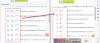
After migration to the new Liveworksheets, this July, I've been having LOTS of problems.
One of them is that even when I have customized the link for students to see the grade and correct answers, they CANNOT.
I think that this function is fundamental for formative assessment.
Will this be solved?
Estimados, aprecio la buena voluntad de querer cambiar la página para mejorar, pero he estado leyendo las inquietudes en el foro para tratar de encontrar respuesta a las mías y lamentablemente estamos todos con las mismas interrogantes. Considero que el formato y el uso de la página anterior nos facilitaba el trabajo. teníamos el ID de la tarea a utilizar y la podíamos ubicar con ese número al instante. Al igual que la resolución de los ejercicios facilitaban en gran manera la tarea del profesor, especialmente cuando se trabaja con varios niveles y es necesaria una rápida corrección. Valoro el trabajo del equipo de Liveworksheets y de todos los que publican tareas hermosas y muy útiles. Me encantaría poder seguir haciendo uso de LIVEWORKSHEETS ,pero no en este formato.
Espero se puedan solucionar o dar respuesta a nuestras inquietudes.
Muchas gracias
Since the site has been improved a couple of functions that I find very important are not available. But using mp3 is, it's not working for me, i upload it to "value" of the line, but they just don't paly on my worksheets. The hosts are not replying, maybe somebody has embraced the same and fugured out what to do? Maybe you've seen new tutorials?
Where can I find the submitted worksheets done by the students? Should I go through my email? In the old website, I could easily find them in web the notification.
Hello! How do I download as PDFs the answers of my students? I can't find this option in the new design. It was very easy on the previous design. I need the PDFs for my archive.
Hi everybody! I have a huge problem... I create a worksheet but it does not save the elements I add... I have already tried twice, and all my work is in vane!
Please I need help...
Hi! My students can't find the "send" button in this new web layout. I first thought the Google ad covered the "send" button. I closed the ad, but still couldn't find it. Can anybody help me, please?
Whether you’re looking for quick answers from our articles or direct help from our support team, we’ve got you covered.

