Computer Worksheet Class-II

Writing - ESL

BARHM DUTT BLUE BELLS PUBLIC SCHOOL

SESSION 2024-25

COMPUTER ASSESSMENT-1

CLASS-I SEC -____


NAME: ________________________        Roll No.:_____________       DATE: ______________


  1. Circle the correct option:


  1. It is used to wash clothes              


  1. It is used to hear sound.      


  1. It is used to keep the fruits and vegetable fresh.   


  1. It is used to watch cartoons         


  1. It is put on the Desk.                                                  


  1.  Match the following: 


  1.                                                        It can print on paper                                                   


  1.                                                          It is used to talk to someone               


  1.                                                          Scanner                          


  1.                                                          It is used in summer       


  1. Use ( ) for correct and ( X ) for incorrect statement:         
        1. Keyboard is used to click.
        2. We can see time on watch.
        3. We can cook food on computer.
        4. Charlies Chaplin is the father of computer.
        5. Laptop can be put on lap.
        6. Computer is a smart machine.
  2.  Choose the correct option


  1. What is the girl doing on laptop?


  1. Listening               b) Drawing          c) Colouring                  d) Typing


  1. What was the name of the first computer?      


  1. Addition Engine   b) Rail Engine      c) Difference Engine    d) Desktop


  1. We can use this device to type alphabets and numbers.


  1. Speaker                b) Scanner           c) Mouse                       d) Keyboard


  1. We can see our work on this part of computer.         


  1. CPU                      b) Monitor          c) Printer                       d) Fridge    


Computer Hardware Hunt

Computer

                                                           🕵️‍♂️ Computer Hardware Scavenger Hunt! 🕵️‍♀️


Name: __________________________                                                       Date: __________________________


Mission: Your mission is to become a Computer Detective! You will search around the classroom (or look at pictures from your teacher) to find different computer parts. Let’s see if you can find them all!


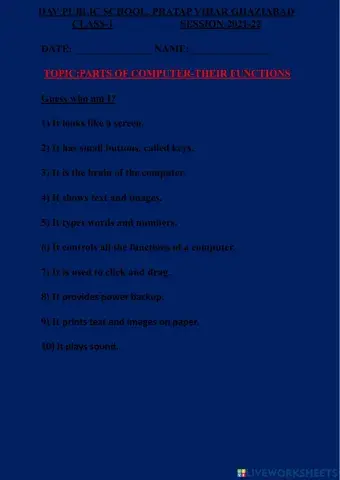
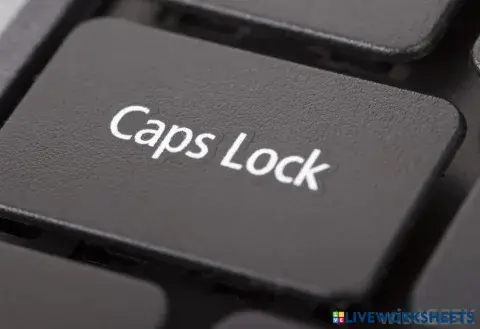
1. Detective’s Clue: I help you type words and send messages.


✏️ What am I? ________________________

Care Tip:
💡 How do you take care of me?


2. Detective’s Clue: I show you pictures, videos, and all the cool stuff on the computer!
✏️ What am I? ________________________


Care Tip:
💡 How do you take care of me?


3. Detective’s Clue: I help you move the pointer on the screen. I’m squeaky clean!
✏️ What am I? ________________________

Care Tip:
💡 How do you take care of me?


4. Detective’s Clue: I make the computer run, and I hold all the important things inside.
✏️ What am I? ________________________

Care Tip:
💡 How do you take care of me?


5. Detective’s Clue: I give you sound when you watch videos or listen to music!
✏️ What am I? ________________________

Care Tip:
💡 How do you take care of me?


Mission Accomplished!

🎉 Great job, Detective! You found all the computer parts!
Now, let’s check if you remember:

  1. Did you find all the computer parts?
    ☐ Yes!
    ☐ Not yet
  2. Did you learn how to take care of them?
    ☐ Yes!
    ☐ I need more practice

Teacher's Signature: __________________________
Date: __________________________

Create and Customize Worksheets for Every Classroom

LiveWorksheets makes it easy for teachers, parents and homeschool educators to design and deliver engaging learning materials. Upload a PDF or start from scratch to create what you need: anything from interactive math worksheets to reading comprehension worksheets, multiplication worksheets, and kindergarten worksheets in just a few clicks. Our drag-and-drop editor works across all grade levels and subjects, so you can tailor content to your lesson plans, homework, or assessments. ESL teachers can also build custom ESL worksheets, add a common sound chart, or integrate ESL activities to make each class more engaging. Easily create differentiated, auto-graded activities that save valuable time and support better student learning.

A Complete Library of Learning Resources for K-12 and ESL

Access thousands of ready-to-use worksheets across K-12 subjects, including kindergarten worksheets, math worksheets, multiplication practice, reading comprehension exercises, and ESL resources. Filter by grade, subject, or skill level to find exactly what you need, whether it’s for an elementary classroom, middle school review, or high school practice. ESL teachers can explore our growing collection of ESL worksheets and English as a Second Language activities designed to support all levels of learners. With new content added regularly, LiveWorksheets is a flexible resource that helps build lasting learning outcomes.